
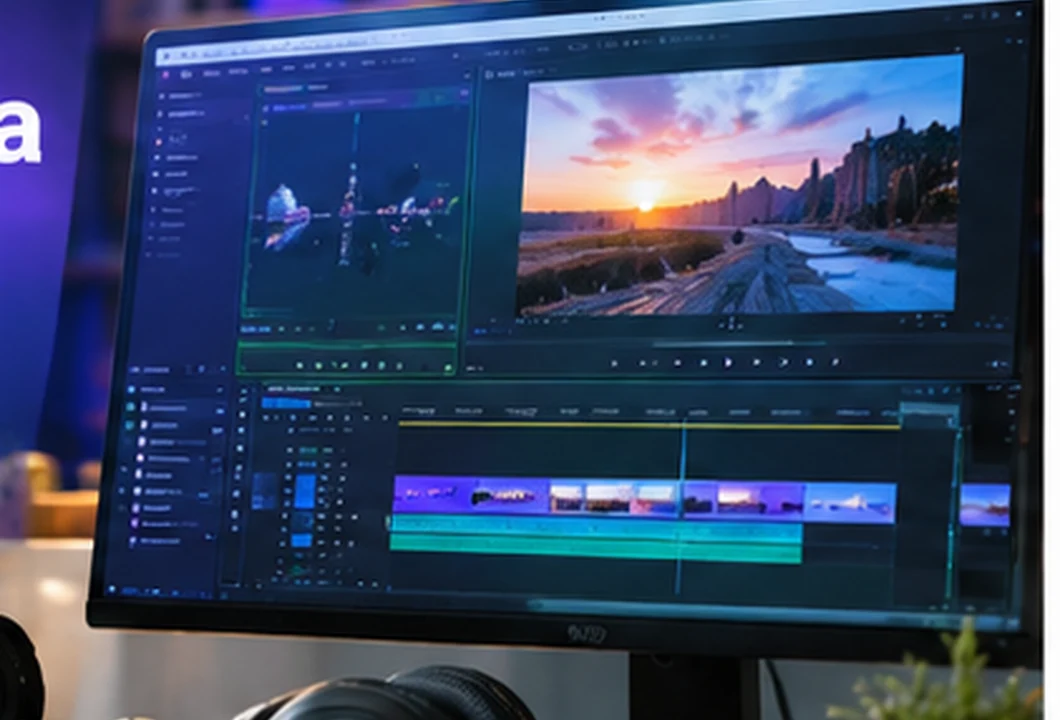
Video and multimedia creation: plan, edit and publish
A fictional small association requests an accessible introductory video in three languages and a vertical edit.
This archive is for SIMULATION ONLY on ishraqa7.com. Taxonomy slugs and current WordPress course inventory are not verified. Do not import to production or publish automatically. Generated imagery is not a real software screenshot. Native Canva/Adobe/Figma sources and a final professional film are not certified.
CD03 / EN / 01 • COURSE HANDOUT — WORKING DRAFT
Chapter 1 — Audiovisual goals and formats
This lesson applies one specific principle to a realistic project. The learner should explain each design choice, preserve working files and demonstrate an observable outcome rather than merely producing a decorative result.
Goals and prerequisites
Audience, message and channel shape format and useful duration before shooting.
Basic ability to organize files and review the previous lesson. A paid subscription is not required to understand the concept; use an open-format alternative if a particular application feature is unavailable.
Understand the technique
The task is not simply to make an appealing result. It is to explain why a solution addresses a specific need. Start by separating the user need, the method selected and the evidence that the method worked.
Audience, message and channel shape format and useful duration before shooting.
Professional decisions should be recorded in a short project sheet: goal, audience, format, constraints, version and acceptance criteria. This prevents the review from depending only on personal taste.
Professional scenario
In the fictional Passage Studio project, the team must deliver a film brief with audience and distribution. The result should be easy to read, hand off and revise without rebuilding it from scratch.
A likely failure is to shooting without a defined goal or audience. Before handoff, check small-screen behaviour, factual consistency and whether the actual editable resources are present.
Guided demonstration
- Define audience and one promise for a 75-second film.
- Select primary distribution channel and justify 16:9 or 9:16.
- Write a jargon-free 25-word message.
- Check duration and need for captions.
Independent exercise
Repeat the task for a different fictional audience without duplicating the original wording. Keep an editable source, an export and a note explaining two necessary changes.
Plan a fictional presentation film for Passage Studio.
Reference answer
An acceptable solution demonstrates the following decisions; it need not imitate one visual template.
- Define audience and one promise for a 75-second film.
- Select primary distribution channel and justify 16:9 or 9:16.
- Write a jargon-free 25-word message.
- Check duration and need for captions.
Common pitfalls and quality checks
Avoid shooting without a defined goal or audience. Check that files open, headings are complete, visual sources are known, redistribution rights are documented and a truly editable working version exists.
Quiz with explanations
1. What is the most appropriate way to start this task?
- Add visual effects before defining the outcome.
- Define audience and one promise for a 75-second film
- Copy third-party work without checking licensing or relevance.
Answer: B — The correct action applies the specific chapter skill. Define audience and one promise for a 75-second film
2. Which check makes the outcome verifiable?
- Accept the first result with no comparison or test.
- Ignore real usage and viewing dimensions.
- Check duration and need for captions
Answer: C — The check demonstrates the actual result, not appearance alone. Check duration and need for captions
3. Which decision keeps the work correctable?
- Select primary distribution channel and justify 16:9 or 9:16
- Submit only a screenshot without an editable source.
- Delete the working files after export.
Answer: A — This approach retains editability and decision history. Select primary distribution channel and justify 16:9 or 9:16
Key takeaway
Review your answers, flag unresolved decisions and retain the working archive before starting the next lesson.
All organizations and case studies here are fictional. Work inside target creative applications has not been tested.
Pre-delivery checks: Check duration and need for captions. The source remains editable and is clearly versioned.
CD03 / EN / 02 • COURSE HANDOUT — WORKING DRAFT
Chapter 2 — Script, storyboard and shots
This lesson applies one specific principle to a realistic project. The learner should explain each design choice, preserve working files and demonstrate an observable outcome rather than merely producing a decorative result.
Goals and prerequisites
A storyboard connects intention, framing, estimated time, speech and sound.
Basic ability to organize files and review the previous lesson. A paid subscription is not required to understand the concept; use an open-format alternative if a particular application feature is unavailable.
Understand the technique
The task is not simply to make an appealing result. It is to explain why a solution addresses a specific need. Start by separating the user need, the method selected and the evidence that the method worked.
A storyboard connects intention, framing, estimated time, speech and sound.
Professional decisions should be recorded in a short project sheet: goal, audience, format, constraints, version and acceptance criteria. This prevents the review from depending only on personal taste.
Professional scenario
In the fictional Passage Studio project, the team must deliver a six-shot storyboard. The result should be easy to read, hand off and revise without rebuilding it from scratch.
A likely failure is to planning shots without transitions. Before handoff, check small-screen behaviour, factual consistency and whether the actual editable resources are present.
Guided demonstration
- Write a three-part script: issue, response and invitation.
- Break each part into timed shots with intentions.
- Sketch six storyboard frames and list props.
- Check total planned runtime without filler shots.
Independent exercise
Repeat the task for a different fictional audience without duplicating the original wording. Keep an editable source, an export and a note explaining two necessary changes.
Plan a fictional presentation film for Passage Studio.
Reference answer
An acceptable solution demonstrates the following decisions; it need not imitate one visual template.
- Write a three-part script: issue, response and invitation.
- Break each part into timed shots with intentions.
- Sketch six storyboard frames and list props.
- Check total planned runtime without filler shots.
Common pitfalls and quality checks
Avoid planning shots without transitions. Check that files open, headings are complete, visual sources are known, redistribution rights are documented and a truly editable working version exists.
Quiz with explanations
1. What is the most appropriate way to start this task?
- Add visual effects before defining the outcome.
- Copy third-party work without checking licensing or relevance.
- Write a three-part script: issue, response and invitation
Answer: C — The correct action applies the specific chapter skill. Write a three-part script: issue, response and invitation
2. Which check makes the outcome verifiable?
- Check total planned runtime without filler shots
- Accept the first result with no comparison or test.
- Ignore real usage and viewing dimensions.
Answer: A — The check demonstrates the actual result, not appearance alone. Check total planned runtime without filler shots
3. Which decision keeps the work correctable?
- Submit only a screenshot without an editable source.
- Break each part into timed shots with intentions
- Delete the working files after export.
Answer: B — This approach retains editability and decision history. Break each part into timed shots with intentions
Key takeaway
Review your answers, flag unresolved decisions and retain the working archive before starting the next lesson.
All organizations and case studies here are fictional. Work inside target creative applications has not been tested.
Pre-delivery checks: Check total planned runtime without filler shots. The source remains editable and is clearly versioned.
CD03 / EN / 03 • COURSE HANDOUT — WORKING DRAFT
Chapter 3 — Camera, light and smartphone
This lesson applies one specific principle to a realistic project. The learner should explain each design choice, preserve working files and demonstrate an observable outcome rather than merely producing a decorative result.
Goals and prerequisites
A readable shot prioritizes controlled light, camera stability and intentional framing.
Basic ability to organize files and review the previous lesson. A paid subscription is not required to understand the concept; use an open-format alternative if a particular application feature is unavailable.
Understand the technique
The task is not simply to make an appealing result. It is to explain why a solution addresses a specific need. Start by separating the user need, the method selected and the evidence that the method worked.
A readable shot prioritizes controlled light, camera stability and intentional framing.
Professional decisions should be recorded in a short project sheet: goal, audience, format, constraints, version and acceptance criteria. This prevents the review from depending only on personal taste.
Professional scenario
In the fictional Passage Studio project, the team must deliver three compared test takes. The result should be easy to read, hand off and revise without rebuilding it from scratch.
A likely failure is to using digital zoom without checking quality loss. Before handoff, check small-screen behaviour, factual consistency and whether the actual editable resources are present.
Guided demonstration
- Film a static subject using three smartphone shot sizes.
- Stabilize the device and compare front light and backlight.
- Keep handles before and after each take.
- Compare footage for focus, exposure and stability.
Independent exercise
Repeat the task for a different fictional audience without duplicating the original wording. Keep an editable source, an export and a note explaining two necessary changes.
Plan a fictional presentation film for Passage Studio.
Reference answer
An acceptable solution demonstrates the following decisions; it need not imitate one visual template.
- Film a static subject using three smartphone shot sizes.
- Stabilize the device and compare front light and backlight.
- Keep handles before and after each take.
- Compare footage for focus, exposure and stability.
Common pitfalls and quality checks
Avoid using digital zoom without checking quality loss. Check that files open, headings are complete, visual sources are known, redistribution rights are documented and a truly editable working version exists.
Quiz with explanations
1. What is the most appropriate way to start this task?
- Film a static subject using three smartphone shot sizes
- Add visual effects before defining the outcome.
- Copy third-party work without checking licensing or relevance.
Answer: A — The correct action applies the specific chapter skill. Film a static subject using three smartphone shot sizes
2. Which check makes the outcome verifiable?
- Accept the first result with no comparison or test.
- Compare footage for focus, exposure and stability
- Ignore real usage and viewing dimensions.
Answer: B — The check demonstrates the actual result, not appearance alone. Compare footage for focus, exposure and stability
3. Which decision keeps the work correctable?
- Submit only a screenshot without an editable source.
- Delete the working files after export.
- Stabilize the device and compare front light and backlight
Answer: C — This approach retains editability and decision history. Stabilize the device and compare front light and backlight
Key takeaway
Review your answers, flag unresolved decisions and retain the working archive before starting the next lesson.
All organizations and case studies here are fictional. Work inside target creative applications has not been tested.
Pre-delivery checks: Compare footage for focus, exposure and stability. The source remains editable and is clearly versioned.
CD03 / EN / 04 • COURSE HANDOUT — WORKING DRAFT
Chapter 4 — Speech, music and clean audio
This lesson applies one specific principle to a realistic project. The learner should explain each design choice, preserve working files and demonstrate an observable outcome rather than merely producing a decorative result.
Goals and prerequisites
Speech intelligibility depends on the room, microphone distance and noise control.
Basic ability to organize files and review the previous lesson. A paid subscription is not required to understand the concept; use an open-format alternative if a particular application feature is unavailable.
Understand the technique
The task is not simply to make an appealing result. It is to explain why a solution addresses a specific need. Start by separating the user need, the method selected and the evidence that the method worked.
Speech intelligibility depends on the room, microphone distance and noise control.
Professional decisions should be recorded in a short project sheet: goal, audience, format, constraints, version and acceptance criteria. This prevents the review from depending only on personal taste.
Professional scenario
In the fictional Passage Studio project, the team must deliver a clean voice-recording protocol. The result should be easy to read, hand off and revise without rebuilding it from scratch.
A likely failure is to masking bad speech audio with loud music. Before handoff, check small-screen behaviour, factual consistency and whether the actual editable resources are present.
Guided demonstration
- Record a 20-second voice sample in two settings.
- Note microphone distance, noise and reverberation.
- Listen with headphones and compare intelligibility, not loudness alone.
- Select the best take and document music rights.
Independent exercise
Repeat the task for a different fictional audience without duplicating the original wording. Keep an editable source, an export and a note explaining two necessary changes.
Plan a fictional presentation film for Passage Studio.
Reference answer
An acceptable solution demonstrates the following decisions; it need not imitate one visual template.
- Record a 20-second voice sample in two settings.
- Note microphone distance, noise and reverberation.
- Listen with headphones and compare intelligibility, not loudness alone.
- Select the best take and document music rights.
Common pitfalls and quality checks
Avoid masking bad speech audio with loud music. Check that files open, headings are complete, visual sources are known, redistribution rights are documented and a truly editable working version exists.
Quiz with explanations
1. What is the most appropriate way to start this task?
- Add visual effects before defining the outcome.
- Record a 20-second voice sample in two settings
- Copy third-party work without checking licensing or relevance.
Answer: B — The correct action applies the specific chapter skill. Record a 20-second voice sample in two settings
2. Which check makes the outcome verifiable?
- Accept the first result with no comparison or test.
- Ignore real usage and viewing dimensions.
- Select the best take and document music rights
Answer: C — The check demonstrates the actual result, not appearance alone. Select the best take and document music rights
3. Which decision keeps the work correctable?
- Note microphone distance, noise and reverberation
- Submit only a screenshot without an editable source.
- Delete the working files after export.
Answer: A — This approach retains editability and decision history. Note microphone distance, noise and reverberation
Key takeaway
Review your answers, flag unresolved decisions and retain the working archive before starting the next lesson.
All organizations and case studies here are fictional. Work inside target creative applications has not been tested.
Pre-delivery checks: Select the best take and document music rights. The source remains editable and is clearly versioned.
CD03 / EN / 05 • COURSE HANDOUT — WORKING DRAFT
Chapter 5 — Media, codecs and backups
This lesson applies one specific principle to a realistic project. The learner should explain each design choice, preserve working files and demonstrate an observable outcome rather than merely producing a decorative result.
Goals and prerequisites
Names, backups and working codecs keep project files linked to footage.
Basic ability to organize files and review the previous lesson. A paid subscription is not required to understand the concept; use an open-format alternative if a particular application feature is unavailable.
Understand the technique
The task is not simply to make an appealing result. It is to explain why a solution addresses a specific need. Start by separating the user need, the method selected and the evidence that the method worked.
Names, backups and working codecs keep project files linked to footage.
Professional decisions should be recorded in a short project sheet: goal, audience, format, constraints, version and acceptance criteria. This prevents the review from depending only on personal taste.
Professional scenario
In the fictional Passage Studio project, the team must deliver a media tree and backup log. The result should be easy to read, hand off and revise without rebuilding it from scratch.
A likely failure is to moving source footage without relinking it. Before handoff, check small-screen behaviour, factual consistency and whether the actual editable resources are present.
Guided demonstration
- Organize footage, voice, music, captions, projects and exports in folders.
- Use stable shot-and-take filenames.
- Record container, codec, frame rate and resolution.
- Make a backup and rehearse locating a missing asset.
Independent exercise
Repeat the task for a different fictional audience without duplicating the original wording. Keep an editable source, an export and a note explaining two necessary changes.
Plan a fictional presentation film for Passage Studio.
Reference answer
An acceptable solution demonstrates the following decisions; it need not imitate one visual template.
- Organize footage, voice, music, captions, projects and exports in folders.
- Use stable shot-and-take filenames.
- Record container, codec, frame rate and resolution.
- Make a backup and rehearse locating a missing asset.
Common pitfalls and quality checks
Avoid moving source footage without relinking it. Check that files open, headings are complete, visual sources are known, redistribution rights are documented and a truly editable working version exists.
Quiz with explanations
1. What is the most appropriate way to start this task?
- Add visual effects before defining the outcome.
- Copy third-party work without checking licensing or relevance.
- Organize footage, voice, music, captions, projects and exports in folders
Answer: C — The correct action applies the specific chapter skill. Organize footage, voice, music, captions, projects and exports in folders
2. Which check makes the outcome verifiable?
- Make a backup and rehearse locating a missing asset
- Accept the first result with no comparison or test.
- Ignore real usage and viewing dimensions.
Answer: A — The check demonstrates the actual result, not appearance alone. Make a backup and rehearse locating a missing asset
3. Which decision keeps the work correctable?
- Submit only a screenshot without an editable source.
- Use stable shot-and-take filenames
- Delete the working files after export.
Answer: B — This approach retains editability and decision history. Use stable shot-and-take filenames
Key takeaway
Review your answers, flag unresolved decisions and retain the working archive before starting the next lesson.
All organizations and case studies here are fictional. Work inside target creative applications has not been tested.
Pre-delivery checks: Make a backup and rehearse locating a missing asset. The source remains editable and is clearly versioned.
CD03 / EN / 06 • COURSE HANDOUT — WORKING DRAFT
Chapter 6 — Editing rhythm and continuity
This lesson applies one specific principle to a realistic project. The learner should explain each design choice, preserve working files and demonstrate an observable outcome rather than merely producing a decorative result.
Goals and prerequisites
A good cut guides the viewer without creating accidental breaks in action or time.
Basic ability to organize files and review the previous lesson. A paid subscription is not required to understand the concept; use an open-format alternative if a particular application feature is unavailable.
Understand the technique
The task is not simply to make an appealing result. It is to explain why a solution addresses a specific need. Start by separating the user need, the method selected and the evidence that the method worked.
A good cut guides the viewer without creating accidental breaks in action or time.
Professional decisions should be recorded in a short project sheet: goal, audience, format, constraints, version and acceptance criteria. This prevents the review from depending only on personal taste.
Professional scenario
In the fictional Passage Studio project, the team must deliver an annotated eight-beat edit plan. The result should be easy to read, hand off and revise without rebuilding it from scratch.
A likely failure is to ordering shots by filename rather than narrative. Before handoff, check small-screen behaviour, factual consistency and whether the actual editable resources are present.
Guided demonstration
- Choose six shots for their storytelling purpose and discard duplicates.
- Build a rough cut without effects and with clear continuity.
- Trim dead time without clipping words.
- Compare a slow cut and a tighter cut.
Independent exercise
Repeat the task for a different fictional audience without duplicating the original wording. Keep an editable source, an export and a note explaining two necessary changes.
Plan a fictional presentation film for Passage Studio.
Reference answer
An acceptable solution demonstrates the following decisions; it need not imitate one visual template.
- Choose six shots for their storytelling purpose and discard duplicates.
- Build a rough cut without effects and with clear continuity.
- Trim dead time without clipping words.
- Compare a slow cut and a tighter cut.
Common pitfalls and quality checks
Avoid ordering shots by filename rather than narrative. Check that files open, headings are complete, visual sources are known, redistribution rights are documented and a truly editable working version exists.
Quiz with explanations
1. What is the most appropriate way to start this task?
- Choose six shots for their storytelling purpose and discard duplicates
- Add visual effects before defining the outcome.
- Copy third-party work without checking licensing or relevance.
Answer: A — The correct action applies the specific chapter skill. Choose six shots for their storytelling purpose and discard duplicates
2. Which check makes the outcome verifiable?
- Accept the first result with no comparison or test.
- Compare a slow cut and a tighter cut
- Ignore real usage and viewing dimensions.
Answer: B — The check demonstrates the actual result, not appearance alone. Compare a slow cut and a tighter cut
3. Which decision keeps the work correctable?
- Submit only a screenshot without an editable source.
- Delete the working files after export.
- Build a rough cut without effects and with clear continuity
Answer: C — This approach retains editability and decision history. Build a rough cut without effects and with clear continuity
Key takeaway
Review your answers, flag unresolved decisions and retain the working archive before starting the next lesson.
All organizations and case studies here are fictional. Work inside target creative applications has not been tested.
Pre-delivery checks: Compare a slow cut and a tighter cut. The source remains editable and is clearly versioned.
CD03 / EN / 07 • COURSE HANDOUT — WORKING DRAFT
Chapter 7 — Colour matching shots
This lesson applies one specific principle to a realistic project. The learner should explain each design choice, preserve working files and demonstrate an observable outcome rather than merely producing a decorative result.
Goals and prerequisites
Shot matching starts with exposure and white balance before creative grading.
Basic ability to organize files and review the previous lesson. A paid subscription is not required to understand the concept; use an open-format alternative if a particular application feature is unavailable.
Understand the technique
The task is not simply to make an appealing result. It is to explain why a solution addresses a specific need. Start by separating the user need, the method selected and the evidence that the method worked.
Shot matching starts with exposure and white balance before creative grading.
Professional decisions should be recorded in a short project sheet: goal, audience, format, constraints, version and acceptance criteria. This prevents the review from depending only on personal taste.
Professional scenario
In the fictional Passage Studio project, the team must deliver a three-shot matching sheet. The result should be easy to read, hand off and revise without rebuilding it from scratch.
A likely failure is to applying one filter without checking source footage. Before handoff, check small-screen behaviour, factual consistency and whether the actual editable resources are present.
Guided demonstration
- Choose a reference shot with sound exposure.
- Match other shots for brightness and white balance continuity.
- Avoid unnatural skin tones.
- Compare before and after on available screens noting limitations.
Independent exercise
Repeat the task for a different fictional audience without duplicating the original wording. Keep an editable source, an export and a note explaining two necessary changes.
Plan a fictional presentation film for Passage Studio.
Reference answer
An acceptable solution demonstrates the following decisions; it need not imitate one visual template.
- Choose a reference shot with sound exposure.
- Match other shots for brightness and white balance continuity.
- Avoid unnatural skin tones.
- Compare before and after on available screens noting limitations.
Common pitfalls and quality checks
Avoid applying one filter without checking source footage. Check that files open, headings are complete, visual sources are known, redistribution rights are documented and a truly editable working version exists.
Quiz with explanations
1. What is the most appropriate way to start this task?
- Add visual effects before defining the outcome.
- Choose a reference shot with sound exposure
- Copy third-party work without checking licensing or relevance.
Answer: B — The correct action applies the specific chapter skill. Choose a reference shot with sound exposure
2. Which check makes the outcome verifiable?
- Accept the first result with no comparison or test.
- Ignore real usage and viewing dimensions.
- Compare before and after on available screens noting limitations
Answer: C — The check demonstrates the actual result, not appearance alone. Compare before and after on available screens noting limitations
3. Which decision keeps the work correctable?
- Match other shots for brightness and white balance continuity
- Submit only a screenshot without an editable source.
- Delete the working files after export.
Answer: A — This approach retains editability and decision history. Match other shots for brightness and white balance continuity
Key takeaway
Review your answers, flag unresolved decisions and retain the working archive before starting the next lesson.
All organizations and case studies here are fictional. Work inside target creative applications has not been tested.
Pre-delivery checks: Compare before and after on available screens noting limitations. The source remains editable and is clearly versioned.
CD03 / EN / 08 • COURSE HANDOUT — WORKING DRAFT
Chapter 8 — Titles and motion graphics
This lesson applies one specific principle to a realistic project. The learner should explain each design choice, preserve working files and demonstrate an observable outcome rather than merely producing a decorative result.
Goals and prerequisites
Motion supports readability: timing, contrast and safe margins matter first.
Basic ability to organize files and review the previous lesson. A paid subscription is not required to understand the concept; use an open-format alternative if a particular application feature is unavailable.
Understand the technique
The task is not simply to make an appealing result. It is to explain why a solution addresses a specific need. Start by separating the user need, the method selected and the evidence that the method worked.
Motion supports readability: timing, contrast and safe margins matter first.
Professional decisions should be recorded in a short project sheet: goal, audience, format, constraints, version and acceptance criteria. This prevents the review from depending only on personal taste.
Professional scenario
In the fictional Passage Studio project, the team must deliver a five-card title sequence specification. The result should be easy to read, hand off and revise without rebuilding it from scratch.
A likely failure is to prioritising animation over communication. Before handoff, check small-screen behaviour, factual consistency and whether the actual editable resources are present.
Guided demonstration
- Place a readable opening title away from the subject.
- Create a lower third with sufficient reading time.
- Use restrained entrance and exit animation.
- Test text placement in 16:9 and vertical crop.
Independent exercise
Repeat the task for a different fictional audience without duplicating the original wording. Keep an editable source, an export and a note explaining two necessary changes.
Plan a fictional presentation film for Passage Studio.
Reference answer
An acceptable solution demonstrates the following decisions; it need not imitate one visual template.
- Place a readable opening title away from the subject.
- Create a lower third with sufficient reading time.
- Use restrained entrance and exit animation.
- Test text placement in 16:9 and vertical crop.
Common pitfalls and quality checks
Avoid prioritising animation over communication. Check that files open, headings are complete, visual sources are known, redistribution rights are documented and a truly editable working version exists.
Quiz with explanations
1. What is the most appropriate way to start this task?
- Add visual effects before defining the outcome.
- Copy third-party work without checking licensing or relevance.
- Place a readable opening title away from the subject
Answer: C — The correct action applies the specific chapter skill. Place a readable opening title away from the subject
2. Which check makes the outcome verifiable?
- Test text placement in 16:9 and vertical crop
- Accept the first result with no comparison or test.
- Ignore real usage and viewing dimensions.
Answer: A — The check demonstrates the actual result, not appearance alone. Test text placement in 16:9 and vertical crop
3. Which decision keeps the work correctable?
- Submit only a screenshot without an editable source.
- Create a lower third with sufficient reading time
- Delete the working files after export.
Answer: B — This approach retains editability and decision history. Create a lower third with sufficient reading time
Key takeaway
Review your answers, flag unresolved decisions and retain the working archive before starting the next lesson.
All organizations and case studies here are fictional. Work inside target creative applications has not been tested.
Pre-delivery checks: Test text placement in 16:9 and vertical crop. The source remains editable and is clearly versioned.
CD03 / EN / 09 • COURSE HANDOUT — WORKING DRAFT
Chapter 9 — Transcription and subtitles
This lesson applies one specific principle to a realistic project. The learner should explain each design choice, preserve working files and demonstrate an observable outcome rather than merely producing a decorative result.
Goals and prerequisites
Subtitles need accurate timing, readability and proper Arabic direction.
Basic ability to organize files and review the previous lesson. A paid subscription is not required to understand the concept; use an open-format alternative if a particular application feature is unavailable.
Understand the technique
The task is not simply to make an appealing result. It is to explain why a solution addresses a specific need. Start by separating the user need, the method selected and the evidence that the method worked.
Subtitles need accurate timing, readability and proper Arabic direction.
Professional decisions should be recorded in a short project sheet: goal, audience, format, constraints, version and acceptance criteria. This prevents the review from depending only on personal taste.
Professional scenario
In the fictional Passage Studio project, the team must deliver an SRT per language with timing checks. The result should be easy to read, hand off and revise without rebuilding it from scratch.
A likely failure is to translating captions without revisiting timing. Before handoff, check small-screen behaviour, factual consistency and whether the actual editable resources are present.
Guided demonstration
- Transcribe 20 seconds of speech without inventing words.
- Split subtitles at pauses and set accurate timestamps.
- Prepare FR, AR and EN equivalents preserving meaning.
- Play SRT or VTT with video and verify RTL and sync.
Independent exercise
Repeat the task for a different fictional audience without duplicating the original wording. Keep an editable source, an export and a note explaining two necessary changes.
Plan a fictional presentation film for Passage Studio.
Reference answer
An acceptable solution demonstrates the following decisions; it need not imitate one visual template.
- Transcribe 20 seconds of speech without inventing words.
- Split subtitles at pauses and set accurate timestamps.
- Prepare FR, AR and EN equivalents preserving meaning.
- Play SRT or VTT with video and verify RTL and sync.
Common pitfalls and quality checks
Avoid translating captions without revisiting timing. Check that files open, headings are complete, visual sources are known, redistribution rights are documented and a truly editable working version exists.
Quiz with explanations
1. What is the most appropriate way to start this task?
- Transcribe 20 seconds of speech without inventing words
- Add visual effects before defining the outcome.
- Copy third-party work without checking licensing or relevance.
Answer: A — The correct action applies the specific chapter skill. Transcribe 20 seconds of speech without inventing words
2. Which check makes the outcome verifiable?
- Accept the first result with no comparison or test.
- Play SRT or VTT with video and verify RTL and sync
- Ignore real usage and viewing dimensions.
Answer: B — The check demonstrates the actual result, not appearance alone. Play SRT or VTT with video and verify RTL and sync
3. Which decision keeps the work correctable?
- Submit only a screenshot without an editable source.
- Delete the working files after export.
- Split subtitles at pauses and set accurate timestamps
Answer: C — This approach retains editability and decision history. Split subtitles at pauses and set accurate timestamps
Key takeaway
Review your answers, flag unresolved decisions and retain the working archive before starting the next lesson.
All organizations and case studies here are fictional. Work inside target creative applications has not been tested.
Pre-delivery checks: Play SRT or VTT with video and verify RTL and sync. The source remains editable and is clearly versioned.
CD03 / EN / 10 • COURSE HANDOUT — WORKING DRAFT
Chapter 10 — Horizontal and vertical delivery
This lesson applies one specific principle to a realistic project. The learner should explain each design choice, preserve working files and demonstrate an observable outcome rather than merely producing a decorative result.
Goals and prerequisites
A 9:16 version needs reframing rather than resizing a 16:9 composition.
Basic ability to organize files and review the previous lesson. A paid subscription is not required to understand the concept; use an open-format alternative if a particular application feature is unavailable.
Understand the technique
The task is not simply to make an appealing result. It is to explain why a solution addresses a specific need. Start by separating the user need, the method selected and the evidence that the method worked.
A 9:16 version needs reframing rather than resizing a 16:9 composition.
Professional decisions should be recorded in a short project sheet: goal, audience, format, constraints, version and acceptance criteria. This prevents the review from depending only on personal taste.
Professional scenario
In the fictional Passage Studio project, the team must deliver two framing plans for 16:9 and 9:16. The result should be easy to read, hand off and revise without rebuilding it from scratch.
A likely failure is to cutting faces and captions when reframing. Before handoff, check small-screen behaviour, factual consistency and whether the actual editable resources are present.
Guided demonstration
- Define safe caption areas in the 16:9 cut.
- Reframe the subject for a 9:16 version.
- Condense the story into a 25-second vertical edit.
- Check that no essential content is cropped on mobile.
Independent exercise
Repeat the task for a different fictional audience without duplicating the original wording. Keep an editable source, an export and a note explaining two necessary changes.
Plan a fictional presentation film for Passage Studio.
Reference answer
An acceptable solution demonstrates the following decisions; it need not imitate one visual template.
- Define safe caption areas in the 16:9 cut.
- Reframe the subject for a 9:16 version.
- Condense the story into a 25-second vertical edit.
- Check that no essential content is cropped on mobile.
Common pitfalls and quality checks
Avoid cutting faces and captions when reframing. Check that files open, headings are complete, visual sources are known, redistribution rights are documented and a truly editable working version exists.
Quiz with explanations
1. What is the most appropriate way to start this task?
- Add visual effects before defining the outcome.
- Define safe caption areas in the 16:9 cut
- Copy third-party work without checking licensing or relevance.
Answer: B — The correct action applies the specific chapter skill. Define safe caption areas in the 16:9 cut
2. Which check makes the outcome verifiable?
- Accept the first result with no comparison or test.
- Ignore real usage and viewing dimensions.
- Check that no essential content is cropped on mobile
Answer: C — The check demonstrates the actual result, not appearance alone. Check that no essential content is cropped on mobile
3. Which decision keeps the work correctable?
- Reframe the subject for a 9:16 version
- Submit only a screenshot without an editable source.
- Delete the working files after export.
Answer: A — This approach retains editability and decision history. Reframe the subject for a 9:16 version
Key takeaway
Review your answers, flag unresolved decisions and retain the working archive before starting the next lesson.
All organizations and case studies here are fictional. Work inside target creative applications has not been tested.
Pre-delivery checks: Check that no essential content is cropped on mobile. The source remains editable and is clearly versioned.
CD03 / EN / 11 • COURSE HANDOUT — WORKING DRAFT
Chapter 11 — Export and playback quality
This lesson applies one specific principle to a realistic project. The learner should explain each design choice, preserve working files and demonstrate an observable outcome rather than merely producing a decorative result.
Goals and prerequisites
A rendered file must be played and checked for image, frame rate, sound and captions.
Basic ability to organize files and review the previous lesson. A paid subscription is not required to understand the concept; use an open-format alternative if a particular application feature is unavailable.
Understand the technique
The task is not simply to make an appealing result. It is to explain why a solution addresses a specific need. Start by separating the user need, the method selected and the evidence that the method worked.
A rendered file must be played and checked for image, frame rate, sound and captions.
Professional decisions should be recorded in a short project sheet: goal, audience, format, constraints, version and acceptance criteria. This prevents the review from depending only on personal taste.
Professional scenario
In the fictional Passage Studio project, the team must deliver a video-render QA sheet. The result should be easy to read, hand off and revise without rebuilding it from scratch.
A likely failure is to assuming successful export guarantees playback. Before handoff, check small-screen behaviour, factual consistency and whether the actual editable resources are present.
Guided demonstration
- Choose an MP4 export with documented video and audio settings.
- Inspect duration, dimensions, frame rate and audio tracks with analysis tools.
- Play the file end-to-end and listen through headphones.
- Log defects and export a corrected revision.
Independent exercise
Repeat the task for a different fictional audience without duplicating the original wording. Keep an editable source, an export and a note explaining two necessary changes.
Plan a fictional presentation film for Passage Studio.
Reference answer
An acceptable solution demonstrates the following decisions; it need not imitate one visual template.
- Choose an MP4 export with documented video and audio settings.
- Inspect duration, dimensions, frame rate and audio tracks with analysis tools.
- Play the file end-to-end and listen through headphones.
- Log defects and export a corrected revision.
Common pitfalls and quality checks
Avoid assuming successful export guarantees playback. Check that files open, headings are complete, visual sources are known, redistribution rights are documented and a truly editable working version exists.
Quiz with explanations
1. What is the most appropriate way to start this task?
- Add visual effects before defining the outcome.
- Copy third-party work without checking licensing or relevance.
- Choose an MP4 export with documented video and audio settings
Answer: C — The correct action applies the specific chapter skill. Choose an MP4 export with documented video and audio settings
2. Which check makes the outcome verifiable?
- Log defects and export a corrected revision
- Accept the first result with no comparison or test.
- Ignore real usage and viewing dimensions.
Answer: A — The check demonstrates the actual result, not appearance alone. Log defects and export a corrected revision
3. Which decision keeps the work correctable?
- Submit only a screenshot without an editable source.
- Inspect duration, dimensions, frame rate and audio tracks with analysis tools
- Delete the working files after export.
Answer: B — This approach retains editability and decision history. Inspect duration, dimensions, frame rate and audio tracks with analysis tools
Key takeaway
Review your answers, flag unresolved decisions and retain the working archive before starting the next lesson.
All organizations and case studies here are fictional. Work inside target creative applications has not been tested.
Pre-delivery checks: Log defects and export a corrected revision. The source remains editable and is clearly versioned.
CD03 / EN / 12 • COURSE HANDOUT — WORKING DRAFT
Chapter 12 — Capstone: multilingual promotional film
This lesson applies one specific principle to a realistic project. The learner should explain each design choice, preserve working files and demonstrate an observable outcome rather than merely producing a decorative result.
Goals and prerequisites
A verified audiovisual project links brief, licensed media, editable timeline, exports and language QA.
Basic ability to organize files and review the previous lesson. A paid subscription is not required to understand the concept; use an open-format alternative if a particular application feature is unavailable.
Understand the technique
The task is not simply to make an appealing result. It is to explain why a solution addresses a specific need. Start by separating the user need, the method selected and the evidence that the method worked.
A verified audiovisual project links brief, licensed media, editable timeline, exports and language QA.
Professional decisions should be recorded in a short project sheet: goal, audience, format, constraints, version and acceptance criteria. This prevents the review from depending only on personal taste.
Professional scenario
In the fictional Passage Studio project, the team must deliver a 60–90-second film and a 20–30-second vertical cut. The result should be easy to read, hand off and revise without rebuilding it from scratch.
A likely failure is to mistaking a storyboard for a rendered MP4. Before handoff, check small-screen behaviour, factual consistency and whether the actual editable resources are present.
Guided demonstration
- Assemble script, licensed footage, editable project and a 75-second film.
- Produce a 25-second vertical cut and needed captions.
- Check rights, playback, sound, sync and missing media.
- Deliver exports, project, license register and actual test log.
Independent exercise
Repeat the task for a different fictional audience without duplicating the original wording. Keep an editable source, an export and a note explaining two necessary changes.
Plan a fictional presentation film for Passage Studio.
Reference answer
An acceptable solution demonstrates the following decisions; it need not imitate one visual template.
- Assemble script, licensed footage, editable project and a 75-second film.
- Produce a 25-second vertical cut and needed captions.
- Check rights, playback, sound, sync and missing media.
- Deliver exports, project, license register and actual test log.
Common pitfalls and quality checks
Avoid mistaking a storyboard for a rendered MP4. Check that files open, headings are complete, visual sources are known, redistribution rights are documented and a truly editable working version exists.
Quiz with explanations
1. What is the most appropriate way to start this task?
- Assemble script, licensed footage, editable project and a 75-second film
- Add visual effects before defining the outcome.
- Copy third-party work without checking licensing or relevance.
Answer: A — The correct action applies the specific chapter skill. Assemble script, licensed footage, editable project and a 75-second film
2. Which check makes the outcome verifiable?
- Accept the first result with no comparison or test.
- Deliver exports, project, license register and actual test log
- Ignore real usage and viewing dimensions.
Answer: B — The check demonstrates the actual result, not appearance alone. Deliver exports, project, license register and actual test log
3. Which decision keeps the work correctable?
- Submit only a screenshot without an editable source.
- Delete the working files after export.
- Produce a 25-second vertical cut and needed captions
Answer: C — This approach retains editability and decision history. Produce a 25-second vertical cut and needed captions
Key takeaway
Review your answers, flag unresolved decisions and retain the working archive before starting the next lesson.
All organizations and case studies here are fictional. Work inside target creative applications has not been tested.
Pre-delivery checks: Deliver exports, project, license register and actual test log. The source remains editable and is clearly versioned.